Remote Desktop Software is specifically designed software that allows users to remotely access their PCs from anywhere all over the world. It enables users to access all the contents of the connected PC. This can be used for various purposes like learning, modding, testing, repairing, collaborations, and a lot more. It is quite common among computer technicians as they can remotely repair and configure computers anywhere from all across the globe. Additionally, it also offers various key features that include file transfer, working perfectly on multiple operating systems, session recording, conference features, real-time screen mirroring with minimal lags, and much more.
We have gathered the list of only the best remote Desktop software which you will surely love:
Best Remote Desktop Software
AnyDesk
AnyDesk is one of the most powerful and engaging remote desktop applications available for accessing any aspect of the remote PC's operating system.AnyDesk delivers the greatest performance in any bandwidth circumstance. It provides the most optimal firewall setting for users in the accessing region. Simply connect to any distant PC using your PC and you will have real-time access to it. Every form of application, data, document, and file that the users have access to is within their control. AnyDesk also has the ability to transfer files using the file transfer mechanism.
Official Link
TeamViewer
TeamViewer is a remote PC accessing platform that allows users to access a distant PC from their local system using a graphical user interface. It also has a screen-sharing feature for users to make use of. Users may benefit from the TeamViewer by sharing numerous files, transferring files using drag-and-drop, downloading the program from a local PC, and having the ability to start many remote sessions in a single tab or several tabs, among many other features. Using TeamViewer has many benefits, the most important of which is that it allows users to save both time and money while remaining focused on their job in a safe, powerful environment where their conversations and data exchange will stay private.
Official Link
LogMeIn
User access and management of their computers may be accomplished via the use of LogMeIn, a remote desktop accessing tool available from any location in the globe. In a nutshell, it is a program that allows users to have complete command and control over a remote computer from their local system. It offers a system for job automation, as well as the ability to manage distant computers from a central location on the network.
Official Link
UltraViewer
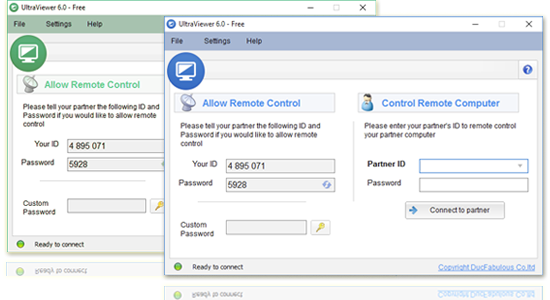
UltraViewer is a free remote desktop management tool that provides comprehensive assistance for both client and partner systems from anywhere in the globe. UltraViewer has just introduced a slew of new features to its services area, the most notable of which include secure remote access, a chat window, the ability to transfer files and data of all sorts, support for multiple computers, and a host of other options.
Official Link
Remote Utilities
Remote Utilities is a remote desktop accessing platform that enables users to access their PC from any location and from any device by just connecting to the internet and a local area network (LAN). Main features include direct point-to-point connection to VPN/LAN, bypassing the firewall using self-hosted and cloud servers, a licencing system for multiple remote PCs, and several more capabilities that allow users to operate and maintain their remote PCs with relative ease.
Official Link
Remmina
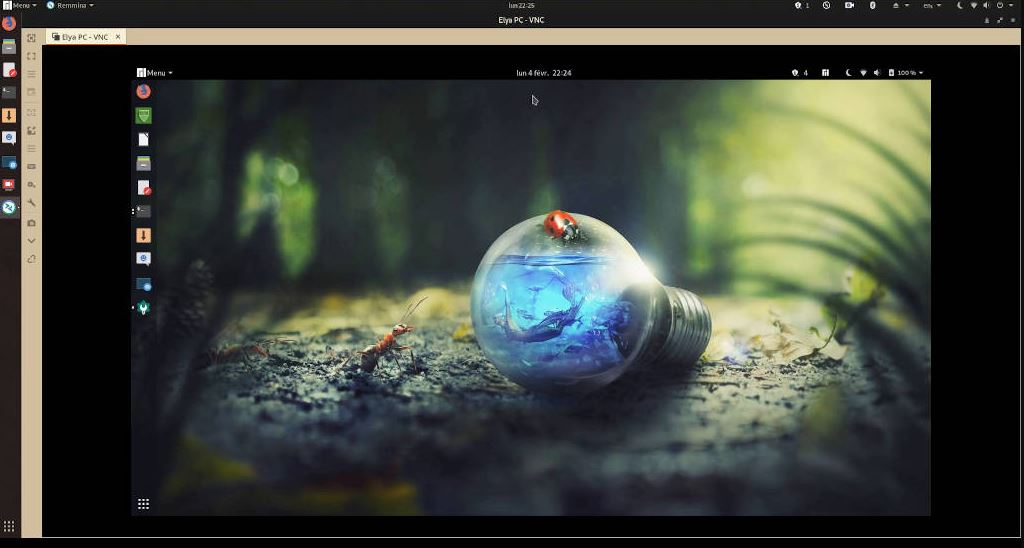
Remmina is a remote desktop client designed for administrators and travelers who need to connect to their personal or company PCs from anywhere in the world over the internet. Remmina is designed specifically for Linux and UNIX-based operating systems, allowing users to manage various connection profiles while remotely accessing the desktop in full screen and expandable windows modes, among other features. Remmina has its own set of infrastructures that are completely independent of one another and that are designed to increase its functionality.
Official Link
NoMachine
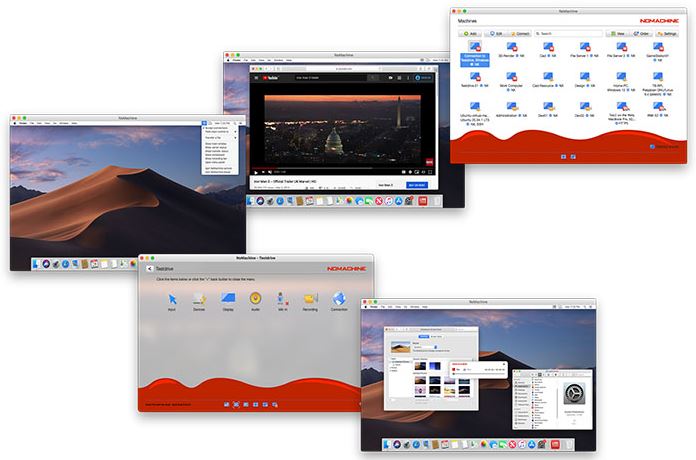
NoMachine is a popular, quick, and simple-to-use remote desktop application that allows you to access your files and folders from any place. It is absolutely free and functions as a personal server that is fully private, with increased protection to prevent uncontrolled efforts by unauthorized parties from accessing your information. NoMachine encourages collaboration by enabling you to invite friends to work together on papers and share files with anybody in the globe via its collaborative workspace.
Official Link
VNC Connect
VNC Connect is a piece of software that enables you to remotely access and control other computers through the internet. This program enables you to see the screen of a distant PC in real-time and keep track of every action that takes place on that PC. In addition to monitoring, you have the ability to manage every action based on the administrative powers granted to you by the other party. Additional capabilities include the ability to communicate in several languages and live text messaging. VNC Connect is devoid of virus assaults and security loopholes, and it is completely secure.
Official Link